
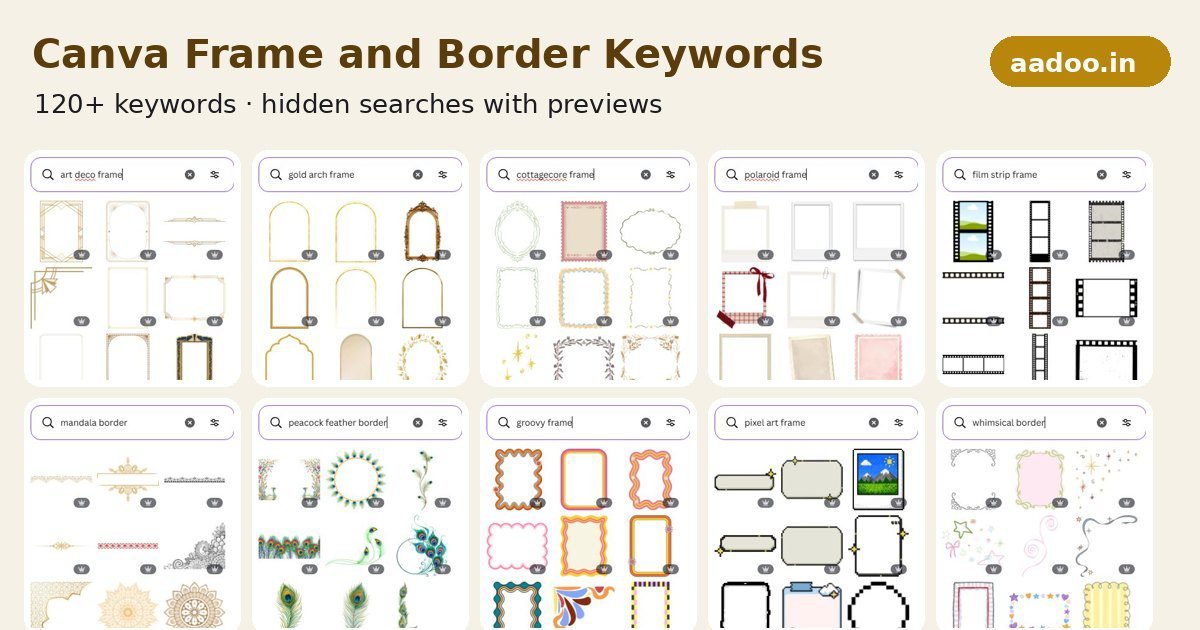
These Canva frame keywords and border keywords help you find the right frame in seconds: photo frames, arches, Polaroids, certificate borders, floral borders and retro styles. Below are 122 frame and border searches for the Canva Elements panel, 10 hidden keywords with previews and a tested frame code. Click any keyword to copy it.
122 frame and border keywords · 10 hidden keywords with previews · updated November 2026. More topics in the 2,700+ Canva elements keywords hub and the Canva element codes library.
Canva frame and border keywords
Typing just “frame” shows the same plain rectangles everyone uses. These keywords reach the styled sets: art deco, arches, Polaroids, mandalas and more. Each preview shows what the keyword brings up in Canva.
Hidden frame and border keywords

art deco frame
Gold 1920s geometric frames and corners. Perfect for elegant invitations, menus and certificates.

gold arch frame
Gold arches, including Indian and Mughal shapes. Lovely for wedding cards, Eid and Diwali posts.
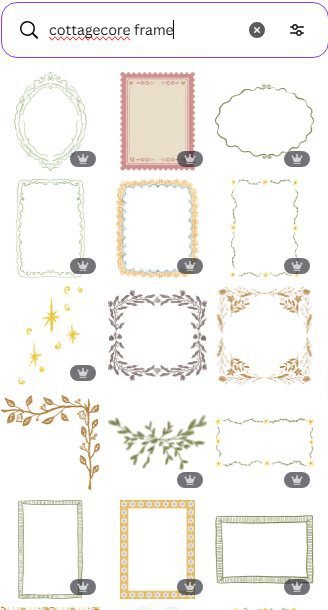
cottagecore frame
Soft vintage frames with leaves, flowers and stamp edges for a cosy, handmade look.

polaroid frame
Instant-photo frames with tape, hearts and paper textures for mood boards and memories.

film strip frame
Straight and curved movie film strips for photo stories, throwbacks and event recaps.
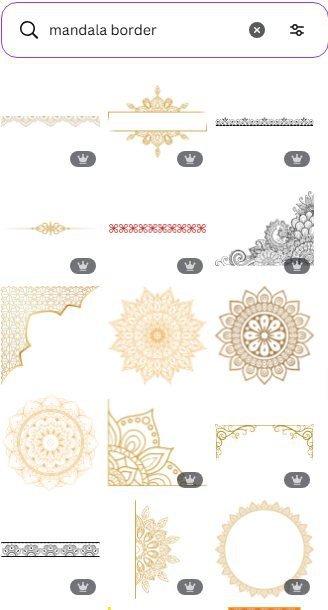
mandala border
Gold mandala borders and corners for Diwali, wedding, yoga and spiritual designs.
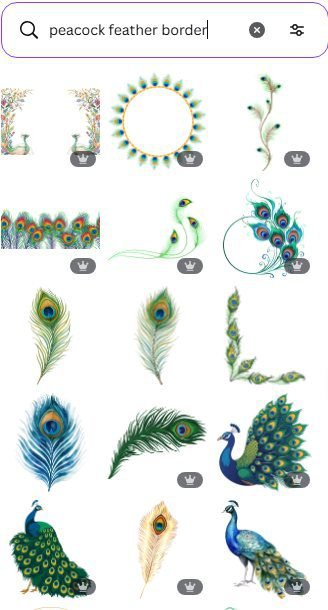
peacock feather border
Peacock feathers, borders and corners, a favourite for Krishna, Janmashtami and Indian weddings.

groovy frame
Wavy 70s frames in orange, pink and pastel tones for fun posts and party invites.

pixel art frame
Retro game-style pixel frames, speech boxes and windows for a playful digital look.
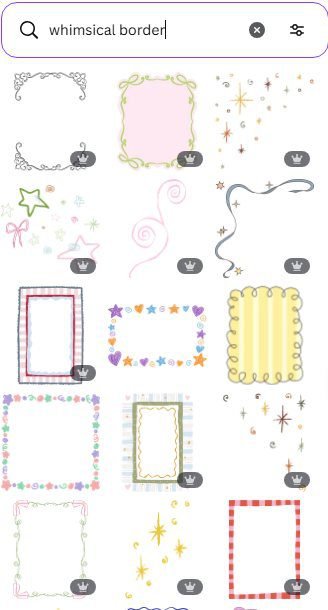
whimsical border
Hand-drawn borders with stars, swirls, bows and stripes. Sweet for kids and party designs.
Below the previews, every frame and border keyword is sorted by type. Tap a keyword to copy it, or use the search box to filter.
Device frames: phone and laptop
- cell phone frame
- laptop frame
- laptop screen frame
- mobile phone frame
- phone frame
- phone screen frame
Certificate and simple borders
- border
- border design
- border for certificate
- border line
- certificate border
- certificate frame
- corner border
- corner design
- flower outline border
- flyer border
- frame
- frame for certificate
- gold certificate border
- line border
- minimalist border
- stationery border
- text box frame
Photo frames
- arch photo frame
- circle photo frame
- collage frame
- film strip border
- film strip frame
- instagram frame
- oval photo frame
- passport size photo frame
- photo frame
- photo frame circle
- photo frame rectangle
- photo frame square
- photo grid
- picture frame
- polaroid frame
- polaroid frame landscape
- polaroid photo frame
- retro photo frame
Shape frames: circle, arch and more
- arch
- arch frame
- arch shape
- arched frame
- circle frame
- diamond frame
- frame circle
- frame rectangle
- gold arch frame
- indian arch frame
- islamic arch frame
- square frame
Flower and nature borders
- blue flowers border
- botanical border
- daisy border
- floral border
- floral frame
- flower border
- flowers border
- galaxy border
- leaves border
- lotus border
- lotus flower border
- marigold border
- ocean border
- peacock feather border
- pink flowers border
- purple flowers border
- rainbow border
- red flowers border
- sunflower border
- wave border
- white flowers border
Festival and season borders
- 4th of july border
- autumn border
- baby shower border
- back to school border
- cute halloween border
- halloween border
- halloween candy border
- mandala art border
- mandala border
- rangoli border
- shamrock border
- snowflake border
- summer border
- thanksgiving border
- thanksgiving food border
- winter border
Frame styles: art deco, retro, groovy and more
- art deco border
- art deco frame
- art nouveau border
- art nouveau frame
- cottagecore border
- cottagecore frame
- cute border
- cyberpunk frame
- elegant border
- elegant frame
- futuristic border
- futuristic frame
- gold border
- gold foil border
- gold frame
- groovy border
- groovy frame
- grunge border
- grunge frame
- monogram frame
- neon frame
- pixel art frame
- retro border
- retro frame
- royal border
- royal frame
- stamp frame
- vintage border
- vintage frame
- whimsical border
- whimsical frame
- y2k frame
Tested frame code
A code opens one designer’s complete matching set. This frame set was tested in Canva in November 2026. More codes are in the Canva element codes library.

Watercolor floral wreath frames
Round flower and leaf wreaths, colourful and black line versions.
+brand:BAC3G5iQbQQ +floral +frame
Frames vs the Frames tab in Canva
Canva has two kinds of frames. Graphic frames (the keywords on this page, under Elements → Graphics) are decorative outlines you place around a photo or text. Photo frames (Elements → Frames) are shapes that a photo snaps into when you drag it in. Try both: search a keyword, then open the Graphics tab for decorative frames or the Frames tab for drop-in photo shapes.
How to use frame keywords in Canva
- Open your design and click Elements in the left panel.
- Paste a keyword, such as gold arch frame, and press Enter.
- Open Graphics for decorative frames and borders, or Frames for photo frames.
- Click a frame to add it, resize it, and change its colour to match your design.
Frame and border ideas
- Wedding card: gold arch frame or indian arch frame with a marigold border.
- Certificate: gold certificate border or art deco frame with a royal border.
- Instagram post: polaroid frame, film strip frame or instagram frame for photo dumps.
- Diwali or puja post: mandala border, rangoli border and lotus border.
- Kids’ worksheet: cute border, whimsical border and rainbow border.
Frequently asked questions
What are the best Canva keywords for frames?
Try specific styles instead of just “frame”: art deco frame, gold arch frame, cottagecore frame, polaroid frame, groovy frame and pixel art frame.
How do I find borders in Canva?
Search a border keyword in Elements, such as floral border, mandala border or gold certificate border, then open the Graphics tab.
How do I put a photo inside a frame in Canva?
Use the Frames tab under Elements: drag a frame onto the page, then drag your photo onto it and it snaps inside. Decorative graphic frames sit on top of a photo instead.
Are these frames free?
Many are free and some are Pro. Free elements have no crown icon in Canva.
More Canva keywords
aadoo.in is an independent website and is not affiliated with Canva. All elements shown belong to Canva and their creators.